What it changes
Free Windows app for competitive games
Less input delay. Fewer micro stutters. That's what players report.
Frozen Tweaks tunes Windows for competitive games, never the game itself. Free to start, undo any time.
v2.0.0 · 6.4 MB · Windows 10 and 11, 64-bit · free account, no payment details
- Rated 4.5 out of 515 reviews on Trustpilot · as of Oct 26, 2026
- Can't get you bannedIt only changes Windows settings
- 14,000+ usersas of August 2026
You are on a Mac. You are on Linux. You are on a Chromebook. Frozen Tweaks is a Windows app: sign up here, then install it on your Windows PC.
Windows app. Sign up here, install it on your PC.
See all 177 tweaksTweaks
Search tweaks...
PresetDefault
AllWindowsGPUPowerNetworkCPUMemoryDebloatCleanupSecurity
177 tweaks active
- Disable Game DVR & Game Bar (Force Real Fullscreen)FREEStops background recording/UI hooks and disables Fullscreen Optimizations globally for lower latency.Switched off
- Disable Mouse Acceleration (EPP)FREEForces EPP off for consistent raw pointer path.Switched off
- Optimize Windows Power PlanFREESwitches to a tuned High Performance plan with USB/link power fixes.Switched off
- Disable Background AppsFREEBlocks UWP background activity globally via policy.Switched off
- Enable HAGSPROEnables hardware-accelerated GPU scheduling to lower driver overhead.
- Disable DWM MPOPRODisables Multi-Plane Overlay to prevent stutter/flicker and stabilize frametimes.
- Tune MMCSS for GamesPROReduces SystemResponsiveness and boosts game task priority to cut scheduling jitter.
One-Click
Restore points
FrozenTweaksRestore point · Today
System Restore PointAutomatic
Optimization Progress
Creating new restore point...
Restore point created successfully!
What players feel
Players say it feels so much smoother. Try it free on your own PC.
“…i gave it a try and cant complain… my delay gone game feels so much smoother and i recommend!!…”
Quoted word for word from our public Trustpilot profile, cuts marked with …. We picked this one; all 15 reviews are on Trustpilot. We do not check reviewers ourselves.
Easy to undo
Every free tweak has an undo switch. Plus a Make a restore point button on every plan.
Can't get you banned. It never touches your game.
Frozen Tweaks only changes Windows, driver, power and network settings, from outside the game. That's why anti-cheat has nothing to ban.
- Windows services and settings
- Power plan
- GPU driver settings
- Network adapter
- Frozen AI (Pro): game priority, from outside
Never injects code into a game.
Never reads or writes game memory.
Never edits game files or game settings files.
Never installs drivers.
Worried it's a virus?
Check that the file is really ours.
- File
- FrozenTweaks-v2.0.0.exe
- Version
- v2.0.0
- Released
- Oct 7, 2026
- Size
- 6.4 MB (6,663,248 bytes)
- SHA-256
054776349e83f25fd61e5fad271d8e02603c5c42b976320b182b5d3e5aa71f50- Signature
- EV code-signed installer
- Get it from
- frozentweaks.com only. No mirrors, no link lockers, no email needed.
- Needs
- Windows 10 or 11 (64-bit) with the Microsoft Visual C++ Redistributable (x64), admin rights, internet to log in
Check the file yourself: open PowerShell in your Downloads folder and run Get-FileHash FrozenTweaks-v2.0.0.exe. The hash should match the one above (PowerShell prints it in capital letters).
“It isnt like those tiktok optimizations apps, it actually works and you can see significant results when the tweaks are applied! Would definetely recommend it!”
Quoted word for word from our public Trustpilot profile. We picked this one; all 15 reviews are on Trustpilot. We do not check reviewers ourselves.
Input delay, micro stutters, a not-so-powerful PC. Frozen Tweaks works on all three.
Frozen AI puts your game first.
Press Activate AI and start a supported game. It raises the game's priority and holds background apps back. Leave the game and everything goes back.
+ about 40 more supported games
Frozen AIActive
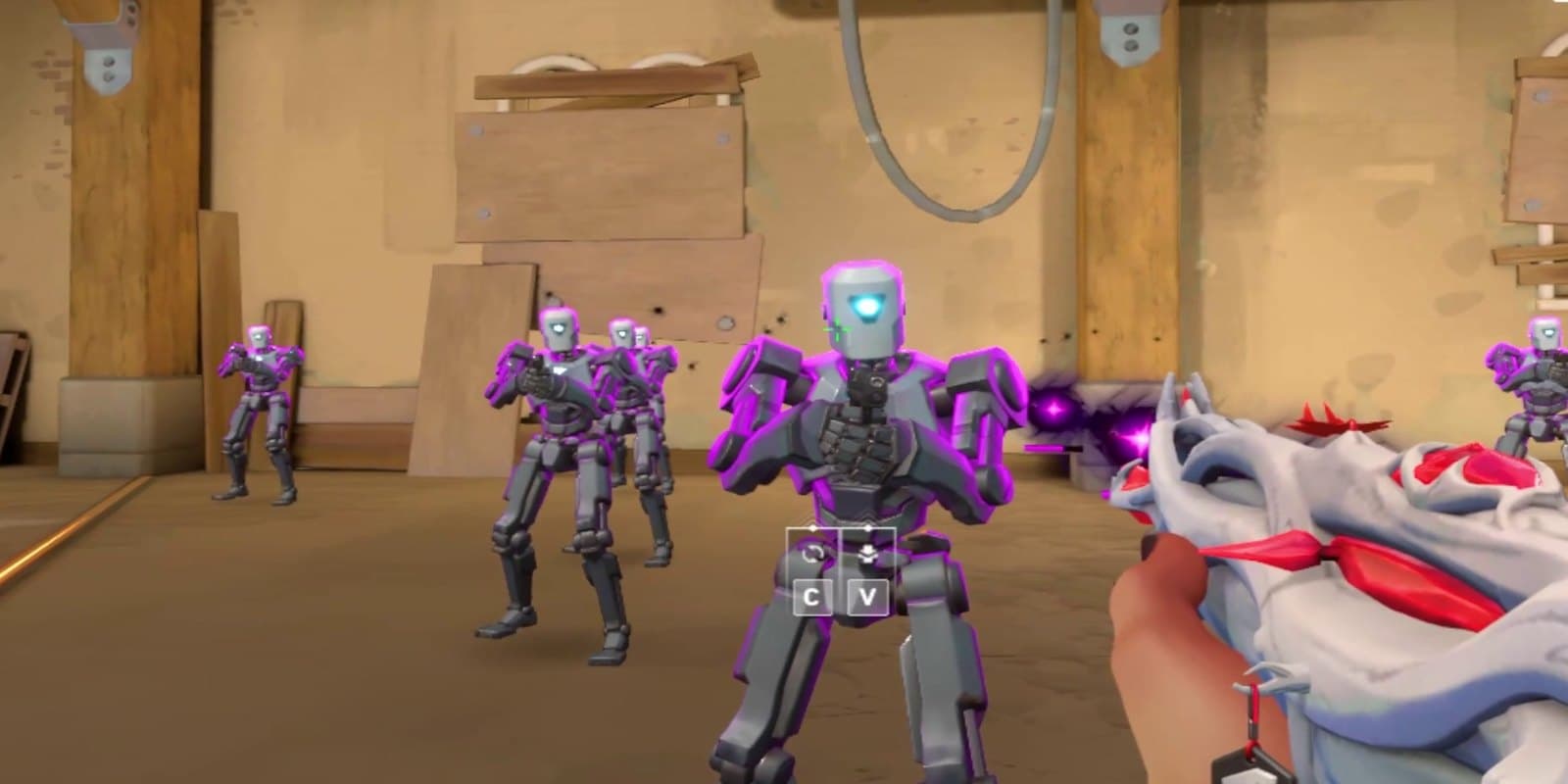
Illustration.
Try a free tweak. One switch turns it off.
Switch one on, play a match and see how it feels.
58free tweaks, no time limit
Smooth is about your worst frames.
The spikes are the micro stutters you feel. Free tweaks switch off common background causes.
Illustration, not a measurement.
Input delay is a chain of small waits.
Nine steps sit between your click and the screen. Frozen Tweaks works on the ones in Windows and your GPU driver.
Mouse sensor and switch. Your mouse registering the click. Small on any modern gaming mouse. Set by your mouse.
USB transport. The click travelling to the PC. Effectively free. Set by your mouse and port.
Windows input processing. Frozen Tweaks works here. Windows handing the click to the game. Mouse acceleration off keeps your aim consistent.
- Disable Mouse Acceleration (EPP), Free.
Game simulation tick. The game reading your input, on its own schedule. Set by the game.
Render queue. Frozen Tweaks works here. Frames waiting their turn for the GPU. The GPU driver's low-latency settings shorten it.
- NVIDIA Low-Latency Profile, Pro.
- AMD Latency Policy, Pro.
GPU render time. Your graphics card drawing the frame. Set by your graphics card.
Present and composition. Frozen Tweaks works here. The finished frame heading to the screen. Game DVR and fullscreen optimizations sit here.
- Disable Game DVR & Game Bar (Force Real Fullscreen), Free.
- Purge FSE Shims, Pro.
Scanout. Your monitor drawing the frame, at its refresh rate. Set by your monitor.
Panel response. The pixels changing, as quickly as the monitor's overdrive lets them. Set by your monitor.
One click. A restore point first.
The Ultimate Tweak makes a Windows restore point and checks it, then runs its full list of Windows changes in one go. No restore point, no run.
Plays a demo of the one-click run.
Restart to finish
- Create restore pointRestore point created
- Check it existsRestore point found
- Apply changesClears temporary files
- Restart onceRestart your PC once to apply everything
It asks you to turn off your antivirus first and changes some Windows Security settings. It also removes some built-in Store apps, most of which you can reinstall from the Microsoft Store. What it changes, and why
177 catalog tweaks in 10 categories: Windows 30, GPU 9, CPU 8, Power 9, Memory 4, Network 20, Debloat 65, Security 27, Clean 4, BIOS 1. 58 of them are free.
Old laptop or budget PC?
Windows runs a lot you don't need while you play. 65 debloat tweaks switch it off, 23 of them free.
Background activitywhile you play
- Disable Widgets/
News/ Copilot - Disable Tips & Content Delivery
- Disable Activity History
- Disable Windows Error Reporting
- Disable Background Apps
- Disable Windows Spotlight
Fortnite and VALORANT profiles.
They switch on 19 and 17 system tweaks at once.
VALORANTActive
17system tweaks on
Both profiles tell Microsoft Defender to skip scanning C:\Games and the Steam and Riot Games folders. What that means
Check all 177 tweaks before you install. Straight from the app's own code.
Windows
All 30 Windows tweaks- Disable CortanaFree
- Disable Game DVR & Game Bar (Force Real Fullscreen)Free
- Reduce Visual EffectsFree
- Disable Mouse Acceleration (EPP)Free
- Disable Notifications (Quiet OS)Free
- Disable Startup DelayFree
- Disable Sticky Keys PopupFree
- Remove Menu DelayFree
- Classic Right Click MenuFree
- Disable Aero ShakeFree
- Add End Task to the TaskbarFree
- Disable Game Bar Controller ButtonFree
- Enable Long PathsFree
- Disable the Startup SoundFree
- Disable Folder Type DiscoveryFree
- Fastest Keyboard RepeatFree
- Disable Automatic MaintenancePro
- Purge FSE ShimsPro
Undo: One-way
Purged compatibility flags aren't put back.
- Disable FOD Auto-InstallPro
- Disable Explorer ThumbnailsPro
- Disable Windows Game ModePro
- Disable Windows CopilotPro
Undo: Partial
Switching it off allows Copilot again through a Windows policy instead of removing the policy, so Windows may show the setting as managed by your organization.
- Disable Teams (Chat + AutoStart)Pro
Undo: One-way
Switching it off shows Chat again and tries to reinstall Teams, which needs winget.
- Purge User AutoStart (Run + Startup)Pro
- Run Folder Windows SeparatelyPro
- Faster ShutdownPro
- Optimize Windowed GamesFree
- Optimize Message Signal Interrupts (MSI)Pro
- Enable HAGSPro
- Disable DWM MPOPro
- Force MSI for USB & NVMePro
- GPU TDR RelaxPro
- NVIDIA Low-Latency ProfilePro
- AMD Latency PolicyPro
- Run Installed Games on the Fast GPUPro
- Disable Power ThrottlingFree
- Tune MMCSS for GamesPro
- Disable Dynamic Tick & favor TSCPro
- Disable CPU Core ParkingPro
- Force MSI for HD AudioPro
- GPU IRQ Affinity (Isolate)Pro
- Disable HPET DevicePro
Power
All 9 Power tweaks- Optimize Windows Power PlanFree
- Disable Fast StartupFree
- Disable HibernationFree
- USB/HID Low-Latency Power SettingsPro
- Disable Modern Standby (S0)Pro
- Disable Connected Standby NetworkPro
- Disable AHCI Link Power ManagementPro
- Disable PCIe ASPMPro
- NVMe Idle Power OffPro
Memory
All 4 Memory tweaks- Disable Memory CompressionPro
- NVMe IRQ SpreadPro
- Enable Large System CachePro
- Keep the Kernel in RAMPro
Network
All 20 Network tweaks- Disable Delivery OptimizationFree
- Disable NDUPro
Undo: Partial
Switching it off sets the Network Data Usage driver to Manual. Windows ships it as Automatic, so network data usage tracking may stay off until you change it back.
- Disable Network ThrottlingPro
- NIC Low-Latency ModePro
- Prefer IPv4 over IPv6Pro
- Disable BITSPro
- Disable ETW AutologgersPro
- Disable WLAN AutoConfigPro
- Disable UPnP/SSDPPro
- Disable Offline FilesPro
- Disable Media Network SharingPro
- Disable NetBIOS over TCP/IPPro
- TCP: Disable Autotuning/HeuristicsPro
- Disable IPv6 Transition TunnelsPro
- Disable Windows Connect NowPro
- Disable Wi-Fi Direct ServicesPro
- Disable Peer Services (PNRP/P2P)Pro
- Disable IP Helper (Advanced)Pro
- NIC Driver Low-LatencyPro
- Disable LLMNRPro
Debloat
All 65 Debloat tweaks- Disable SysMain (Superfetch)Free
Undo: Partial
Switching it off sets SysMain to Manual. Windows ships it as Automatic, so set it back in Services if you want it running.
- Disable Windows Search IndexingFree
Undo: Partial
Switching it off sets Windows Search to Manual. Windows ships it as Automatic (Delayed Start).
- Disable Widgets/News/CopilotFree
- Disable Tips & Content DeliveryFree
- Disable Xbox ServicesFree
- Disable Windows Error ReportingFree
- Disable Background AppsFree
- Disable Windows SpotlightFree
- Disable Activity HistoryFree
- Disable Cloud ClipboardFree
- Disable Windows Mixed RealityFree
- Disable Feedback PromptsFree
- Disable Start Menu Web SearchFree
- Disable Search HighlightsFree
- Disable Start Menu RecommendationsFree
- Disable File Explorer AdsFree
- Disable Setup RemindersFree
- Disable Windows Ink WorkspaceFree
- Hide the Task View ButtonFree
- Hide the Taskbar Search BoxFree
- Hide Meet NowFree
- Disable Suggested ActionsFree
- Disable Touch/Ink ServicesPro
- Disable Sensor & LocationPro
- Disable Bluetooth (if unused)Pro
- Disable Connected Devices PlatformPro
Undo: Partial
Switching it off sets the Connected Devices Platform service to Manual. Windows ships it as Automatic (Delayed Start).
- Disable Shared ExperiencesPro
Undo: Partial
Switching it off sets the Connected Devices Platform user service to Manual. Windows ships it as Automatic.
- Disable Print SpoolerPro
Undo: Partial
Switching it off sets the Print Spooler to Manual. Windows ships it as Automatic, so printing may not work until you set it back in Services.
- Disable Storage ServicePro
- Disable Phone Link BrokerPro
- Disable GameInput ServicePro
- Disable Program Compatibility AssistantPro
- Disable Time BrokerPro
- Disable AppX DeploymentPro
- Disable Maps BrokerPro
Undo: Partial
Switching it off sets the Downloaded Maps Manager service to Manual. Windows ships it as Automatic (Delayed Start).
- Disable BiometricsPro
- Disable Insider ServicePro
- Disable Spatial DataPro
- Disable Camera Frame ServerPro
- Disable CEIP/Telemetry TasksPro
- Disable WNS Push (dmwappushsvc)Pro
- Disable Diagnostics Hub CollectorPro
- Disable Device Association ServicePro
- Disable Retail DemoPro
- Disable Sensor MonitoringPro
- Disable Device Setup ManagerPro
- Disable NVIDIA Telemetry/ContainersPro
Undo: One-way
Switching it off doesn't turn these services back on. Do that in Windows Services.
- Disable AMD Driver Side ServicesPro
Undo: One-way
Switching it off doesn't turn these services back on. Do that in Windows Services.
- Remove Xbox AppsPro
Undo: One-way
Switching it off doesn't reinstall the Xbox apps. Get them back from the Microsoft Store.
- Remove ClipchampPro
Undo: One-way
Switching it off doesn't reinstall the app. Get it back from the Microsoft Store.
- Remove Solitaire CollectionPro
Undo: One-way
Switching it off doesn't reinstall the app. Get it back from the Microsoft Store.
- Remove Phone Link (Your Phone)Pro
Undo: One-way
Switching it off doesn't reinstall the app. Get it back from the Microsoft Store.
- Remove Feedback HubPro
Undo: One-way
Switching it off doesn't reinstall the app. Get it back from the Microsoft Store.
- Remove Tips AppPro
Undo: One-way
Switching it off doesn't reinstall the app. Get it back from the Microsoft Store.
- Remove Mixed Reality PortalPro
Undo: One-way
Switching it off doesn't reinstall the app.
- Remove Cortana (App)Pro
Undo: One-way
Switching it off doesn't reinstall the app.
- Remove News / Interests AppsPro
Undo: One-way
Switching it off doesn't reinstall the app. Get it back from the Microsoft Store.
- Stop Chrome Running in the BackgroundPro
Security
All 27 Security tweaks- Disable Location TrackingFree
- Disable Advertising IDFree
- Disable Windows RecallFree
- Disable Typing and Inking DataFree
- Disable Online Speech RecognitionFree
- Disable App Launch TrackingFree
- Disable AutoPlayFree
- Disable Cloud SearchFree
- Show File ExtensionsFree
- Disable Recent Files in Quick AccessFree
- Disable Find My DeviceFree
- Block App Diagnostics AccessFree
- Disable TelemetryPro
Undo: Partial
Switching it off sets the telemetry service (DiagTrack) to Manual. Windows ships it as Automatic.
- Disable Remote Assistance/RegistryPro
- Disable Remote Desktop ServicesPro
- Disable Compatibility TelemetryPro
- Opt Out of Developer Tool TelemetryPro
- Disable Office TelemetryPro
- Disable Chrome Usage ReportingPro
- Disable Firefox TelemetryPro
Clean
All 4 Clean tweaks- NTFS Lean FSPro
Undo: Partial
Switching it off turns last-access time updates on for every drive. Windows ships this set to system managed, where Windows decides per drive.
- Disable Prefetcher/Superfetch (Reg)Pro
- Disable Link Tracking ClientPro
- Disable Scheduled DefragPro
- Block Firmware Software InjectionPro
Rows marked One-way or Partial don't fully go back when you switch them off. The Pro one-click run also makes changes outside this list. What it changes, and why
Do it by hand, or just switch it on. Our 22 free guides show the manual way.
TopicBy hand, with our free guides With Frozen Tweaks
With Frozen TweaksTimeFind each setting yourself, one by oneOne switch per tweak, all in one place
CostFree58 tweaks free. All 177 with Pro or Elite.
UndoRetrace every stepSwitch it off. The catalog marks the few one-way Pro tweaks.
Restore pointYou make one firstOne button on every plan, automatic before the one-click run.
Game filesUntouchedNever edited
Free guides
All 22 guidesGame guides
Windows, drivers and hardware
- How to Increase FPS on PC
- Windows 11 Gaming Optimization
- How to Fix Stuttering and Frame Drops
- Best NVIDIA Control Panel Settings for Gaming in 2026
- Best AMD Adrenalin Settings for Gaming in 2026
- Low-End PC Gaming Optimization
- How to Find What Is Bottlenecking Your Gaming PC
- What Is Safe to Delete on a Gaming PC, and What to Leave Alone
Input lag, safety and choosing an optimizer
Players say it actually works. Word for word from Trustpilot, typos and all.
“legit.I tried and it work… so good no virus no problem…”
“…i gave it a try and cant complain… my delay gone game feels so much smoother and i recommend!!…”
“This tool is a life saver… after using this tool it perfectly optimized it so I can play cs, val and fn without any issues.”
“installed it and instantly noticed less bloatware and much smoother gaming experience, anyone with a not so powerful PC should definitely check out”
“I dont even leave reviews like that for good things but this is crazy... the fact it has a free version that actually works…”
“Lowkey not glazin but shi does actually work. Tried the free version then switched cause i did see a difference.”
Quoted word for word from our public Trustpilot profile, cuts marked with …. We picked these; all 15 reviews are on Trustpilot. We do not check reviewers ourselves.
Creators play on it. In their own words, and marked where they work with us.
“I didn't realize how much smoother my pc could be until I tried Frozen Tweaks. It just works.”
 solamentenicoleStreamer and content creatorPartnerSaid about version 1
“Frozen Tweaks made my whole pc so much smoother! Finally able to record 4K videos without my game stuttering!!”
 Frost LIVEContent creatorCreator of Frozen TweaksSaid about version 1
Their own words, used with permission. Partners work with Frozen Tweaks and may earn from it. Frost created Frozen Tweaks.
Made in Hamburg by Frost Live. You might know his settings guides on YouTube.
I've spent years testing Windows, GPU driver and in-game settings in CS2, VALORANT, Fortnite, Apex Legends and Call of Duty. Only the tweaks that survived made it into Frozen Tweaks.
On my own PC it made everything so much smoother. I can finally record 4K videos without my game stuttering.
Every catalog tweak is public, so you can check my work. Try the free version on your own PC and tell us on Discord how it feels.
Frost LIVEFounder, Frozen Tweaks · Hamburg, Germany
Watch Frost set up the app, in his VALORANT guide (3:39 to 6:22).
Loads from YouTube only when you click.
Frost LIVE on YouTube121K subscribers (as of Sep 30, 2026)
Watch his guidesAll 177 tweaks. Pick how you pay.
Pro adds the other 119 tweaks, the one-click run, the game profiles and Frozen AI. Elite is the same, paid once.
Subscription
Pro monthly
Pay month by month. Cancel any time.
€17.84/ month
Billed every month
incl. 19% VAT (Germany)
One payment every monthuntil you cancel
- Renews monthly until you cancel
- Cancel online any time, effective at the end of the paid month.
Subscription
Our pick: the lowest cost per month of the two subscriptions.
Pro yearly
One payment for the year. Lower cost per month.
€141.37/ year
Works out to €11.78 a month
incl. 19% VAT (Germany)
One payment for 12 monthsthen monthly
- €72.71 less than 12 monthly payments
- After the first year, it continues at €11.78 a month until you cancel.
One-time payment
Elite
Pay once and keep it. No subscription.
€177.31once
Paid once, nothing renews
incl. 19% VAT (Germany)
One paymentnothing after
- Costs less than 10 months of Pro monthly
- Updates for as long as Frozen Tweaks is offered, at least 5 years.
Pick how you pay
Subscription
Our pick: the lowest cost per month of the two subscriptions.
Pro yearly
One payment for the year. Lower cost per month.
€141.37/ year
Works out to €11.78 a month
incl. 19% VAT (Germany)
One payment for 12 monthsthen monthly
- €72.71 less than 12 monthly payments
- After the first year, it continues at €11.78 a month until you cancel.
No payment, no card
Free
€0 no time limit
58 tweaks, the live dashboard and a Make a restore point button. Needs a free account.
“…Tried the free version then switched cause i did see a difference.”
Quoted word for word from our public Trustpilot profile, cuts marked with …. We picked this one and do not check reviewers ourselves.
PlanFreeProElite
Price€0€17.84 a month or €141.37 a year€177.31 once
Tweaks58177177
One-click Ultimate TweakNoYesYes
Game profilesNoneFortnite, VALORANTFortnite, VALORANT
Frozen AINoYes, supported gamesYes, supported games
Make a restore point buttonYesYesYes
Live dashboard in the appYesYesYes
App updatesFreeFreeFree
SupportDiscord and emailDiscord and emailDiscord and email
BillingNoneMonthly or yearly, until you cancelOnce
Every paid plan includes
All 177 tweaks: 119 more than the free version.
21 game profiles, from Fortnite and VALORANT to Call of Duty.
They tell Microsoft Defender to skip scanning C:\Games and the Steam and Riot Games folders. What that means
The one-click Ultimate Tweak: a restore point first, then its full list of Windows changes in one go.
It asks you to turn off your antivirus first and changes some Windows Security settings. What it changes, and why
Frozen AI while you play a supported game.
- No account needed to pay. To use Pro, log in with a free account and redeem the key.
- Cancel online any time, no login needed: Cancel contracts here.
- Try the free version first. If the app can't run on your PC and we can't fix it, we refund you within 14 days of buying, on top of your statutory rights.
- Card and other payment methods, shown at checkout.
Frozen Tweaks at a glance
- What it is
- Frozen Tweaks tunes Windows, GPU, power and network settings for competitive games, never the game itself. 58 tweaks are free with no time limit, each with an undo switch. All 177 are listed publicly.
- Runs on
- Windows 10 and 11, 64-bit, with the Microsoft Visual C++ Redistributable (x64). Needs admin rights, and internet to log in.
- Current version
- v2.0.0, 6.4 MB, released Oct 7, 2026. EV code-signed installer.
- Free version
- 58 of 177 tweaks, the app's live dashboard and a Make a restore point button. No time limit, no payment details. Needs a free account.
- Pro and Elite
- All 177 tweaks, the one-click Ultimate Tweak, 21 game profiles, and Frozen AI. Same features. Elite is paid once.
- Game profiles
- 21 games, among them Fortnite, VALORANT and Counter-Strike 2 (Pro and Elite).
- Anti-cheat
- Can't get you banned. It never injects code into a game, reads or writes game memory, edits game files or installs drivers.
- The catalog
- Every catalog tweak is public at /tweaks and /tweaks.txt, generated from the app's source. The Pro one-click run makes more changes than the catalog lists.
- Price
- Pro €17.84 a month or €141.37 a year. Elite €177.31 once. Prices include 19% German VAT. EU buyers pay their own country's VAT. Outside the EU, no VAT is added.
- Made by
- Frost LIVE, founder. Hamburg, Germany. Since 2025.
- Support
- Discord and support@frozentweaks.com. Usually replies within 24 to 48 hours on business days.
- Reviews
- 4.5 out of 5 from 15 reviews on Trustpilot (as of Oct 26, 2026).
- Updated
Questions players ask. Straight answers.
Can Frozen Tweaks get me banned?
No. Frozen Tweaks can't get you banned, because it only adjusts Windows system settings, the same ones you could change yourself. Anti-cheat looks for code injected into a game, changed game memory or edited game files, and Frozen Tweaks does none of that.
Frozen AI (Pro) works from outside the game, the way Task Manager does: it reads the game's frame times from Windows, holds busy background apps back while you play, and only keeps a setting it measured to be smoother. Close the game and everything goes back.
Is Frozen Tweaks safe to install?
It's an EV code-signed Windows app, only offered on frozentweaks.com. It changes Windows, GPU driver, power and network settings. It never injects code into a game, reads or writes game memory, edits game files or installs drivers.
Every free tweak has an undo switch in the app, and the Make a restore point button gives you a checkpoint before you start. The Pro one-click run also changes some Windows Security settings.
What it changes, and whyHow much FPS will I get?
It depends on your PC, your game and how Windows is set up today, so we don't promise a number. What players report is how the game feels: less input delay, fewer micro stutters and smoother play, even on a not-so-powerful PC.
Check it yourself: record frame times with PresentMon or CapFrameX before and after, and compare your 1% lows (your slowest frames, the ones you feel as stutter). The free version lets you do that on your own PC.
What's free, and why do I need an account?
Free gets you 58 of the 177 tweaks, the app's live dashboard and the Make a restore point button, with no time limit and no payment details.
The app needs a log-in to check your plan and tie your license to your PC. You sign up here on frozentweaks.com with a name, your email, a password and a 6-digit code we email you. The code only confirms your email. We never ask for your email password or a PIN.
Will it help a weak PC or a laptop?
Players on not-so-powerful PCs say it helped. Most free tweaks cut background work Windows does while you play.
On a laptop, if the Optimize Windows Power Plan tweak makes it run hot, switch that tweak off. After the one-click run, pick Balanced in Windows' power settings. Frozen AI never switches to High Performance on battery.
Can I undo the changes?
Yes. Every free tweak has an undo switch in the app. For most tweaks, switching it off sets a standard Windows value, which may not be exactly how you had it.
A few tweaks, free and Pro, can only be partly undone, and a few Pro tweaks are one-way. Most one-way tweaks remove built-in apps, like the Xbox apps or Clipchamp, or clear startup entries. You can see which ones in the catalog: it marks them Partial or One-way. Most removed apps can be reinstalled from the Microsoft Store, and Edge comes back from microsoft.com.
The one-click run is different. It makes a Windows restore point first, and to undo the run you roll back to it. That brings back most Windows settings. The built-in Store apps the run removes don't come back that way: you can reinstall most of them from the Microsoft Store, but a few that Microsoft has retired can't be reinstalled. Restore points need System Protection turned on in Windows, and the run stops if Windows can't make one.
Does the app have to stay open?
No. Most tweaks are Windows settings that stay on after you close the app. Some need one restart first.
Two Pro features only work while the app is open: Frozen AI, which you switch on yourself each time, and the Lock Timer Resolution tweak.
Why does Windows show a blue warning or ask for admin rights?
Windows asks for admin rights because Frozen Tweaks changes system settings. It may also show a blue SmartScreen box, because new versions don't have much download history yet. If you got the file from frozentweaks.com, choose More info, then Run anyway.
The installer is EV code-signed, and you can check the file against the SHA-256 on this page. Don't run copies from anywhere else.
Which games does it work with?
The tweaks change Windows itself, so they apply to every game you play on that PC. The in-app profiles cover 21 games (Pro).
Frozen AI (Pro) recognizes about 160 games by their process name, including CS2, VALORANT, Fortnite, Apex Legends, Call of Duty, Battlefield 6, ARC Raiders, Marvel Rivals, Overwatch, Rocket League, Rainbow Six Siege, Dota 2, Minecraft, Roblox and Rust. A game that isn't on the list isn't tuned by Frozen AI, but the Windows tweaks still apply there.
Our free guides cover CS2, VALORANT, Fortnite, Apex Legends, ARC Raiders, Black Ops 7, Battlefield 6 and Marvel Rivals.
What does Pro add?
Pro adds the other 119 tweaks, the one-click Ultimate Tweak, the game profiles, and Frozen AI. Elite has exactly the same features, paid once.
The one-click run makes a Windows restore point, checks that it exists, then runs its own full list of Windows changes in one go. It clears temporary files, removes some built-in Store apps, most of which you can reinstall from the Microsoft Store, and changes Windows Security settings.
What it changes, and whyThe app has 21 game profiles, among them Fortnite, VALORANT, Counter-Strike 2, Call of Duty and Apex Legends. Each one switches on 12 to 19 tweaks picked for that game. All of them include the Defender Performance Exclusions tweak, which tells Microsoft Defender to skip scanning C:\Games, the Steam and Riot Games folders and a few game and launcher programs. Switching a profile off undoes its changes, except the fullscreen compatibility flags that the profiles for DirectX 11 games clear.
Frozen AI, once you switch it on, measures a supported game's frame times, holds busy background apps back while you play and keeps the setting that measured smoothest. Close the game and everything goes back.
What's the difference between Pro and Elite?
How you pay. Pro is billed monthly or yearly until you cancel. Elite is one payment, nothing renews, and it gets every update for as long as we offer Frozen Tweaks, at least 5 years. The features are the same.
Do I keep my tweaks if I cancel Pro?
Yes. The tweaks you applied stay in Windows, and you can switch any of them off at any time. The one-click run, the game profiles and Frozen AI stop when your paid period ends.
What does the one-click run change in Windows Security?
It sets an old Windows policy called DisableAntiSpyware, turns off a service called Sense and hides three pages in the Windows Security app. When you open One-Click, the app also asks you to turn off Microsoft Defender and any other antivirus before the run. The same run changes boot timer settings and turns off memory compression and automatic maintenance.
What that means on a normal home PC: Microsoft says Windows 10 (version 1903 and newer) and Windows 11 ignore DisableAntiSpyware while Tamper Protection is on, and it's on by default. So that policy alone doesn't switch Defender off. Sense is part of Microsoft Defender for Endpoint, which companies use on work PCs. It isn't active on a normal home PC. The hidden pages are Family options, Device performance and health, and Account protection. Hiding them doesn't speed anything up. It only removes them from the Windows Security app.
Why we do it: real-time scanning uses CPU and disk time. Security software can also block or undo some of the changes the performance tweaks make.
The Fortnite and VALORANT profiles (Pro) change one more thing. They tell Microsoft Defender to skip scanning C:\Games, the Steam and Riot Games folders and a few game and launcher programs, so files there are no longer scanned. Switching the profile off removes that again.
The trade-off: while your antivirus is off, and on any PC where these settings take effect, you have less protection.
Your way back: the run makes a Windows restore point before it changes anything, and it stops if Windows can't make one. Rolling back to that restore point undoes most of these settings. Restore points need System Protection turned on in Windows.
Can I cancel or get a refund?
You can cancel any time without logging in: use Cancel contracts here at the bottom of every page, or your dashboard. When you cancel, your plan stops renewing, and Pro stays on until the end of the period you paid for. After its first year, a yearly plan continues month by month at a twelfth of the yearly price until you cancel.
You have a 14-day right of withdrawal. To buy, you ask for your access to start right away. Your access starts as soon as the payment goes through (as a guest: with the email that brings your license key), and your right of withdrawal then ends; our contract confirmation email confirms this. After that, we refund you within 14 days of buying if the app can't run on a PC that meets the system requirements and our support can't fix it. This comes on top of your statutory rights, for example if the app is faulty.
Elite is one payment and never renews. Try the free version on your PC first. Full details: refund policy.
Do I need an account to buy?
No. You can pay as a guest, and your license key arrives by email. To use it, log in at frozentweaks.com with a free account and paste the key under Redeem License on your dashboard.
Why is the price different in my country?
Prices include your country's VAT. EU buyers pay their own country's rate, and we add no VAT outside the EU. Before VAT, the price in euros is the same everywhere.
Is my license tied to my PC?
Yes. The app ties your license to your PC. Moving to a new PC? Ask support to reset it.
What do I need to run it?
You need Windows 10 or 11 (64-bit) with the Microsoft Visual C++ Redistributable (x64), a free Microsoft component, admin rights and an internet connection to log in. The download is 6.4 MB. Restore points need System Protection turned on in Windows.
If the app closes right after it opens, or says MSVCP140.dll is missing, install the Microsoft Visual C++ Redistributable (x64) and try again.

Try it on the PC you already have.
Free download, 6.4 MB. Every free tweak has an undo switch.
v2.0.0 · 6.4 MB · Windows 10 and 11, 64-bit · free account, no payment details
EV code-signed installer
Send it to your PC.
Frozen Tweaks installs on a Windows PC, not a phone or tablet. Send yourself the link, then open it on your PC.
Or type frozentweaks.com on your PC.
- Rated 4.5 out of 515 reviews on Trustpilot · as of Oct 26, 2026
- Can't get you bannedIt only changes Windows settings
- 14,000+ usersas of August 2026